
Prop Firms That Allow EAs
Compare verified prop-firm EA rules for automated strategies, trade managers, copy trading, platforms, ownership and approval requirements.
Contents
- First identify what your EA actually does
- How programs qualified for this collection
- EA-friendly prop-firm comparison
- Program-by-program findings
- FTMO CFD
- FundedNext CFD on MT4 and MT5
- The5ers CFD
- Alpha Capital Group on MT5
- Blue Guardian 2 Step Standard
- Blue Guardian Instant Starter
- How platform choice changes the answer
- HFT, arbitrage and copy trading are separate rules
- Pre-purchase EA checklist
- How this collection is updated
- Official sources
- Frequently asked questions
- Does every “EA-friendly” prop firm allow every EA?
- Is a risk-management panel considered an EA?
- Are third-party EAs allowed?
- Can I pass a challenge with an EA and trade manually afterward?
- Can I run an EA on a VPS?
- Which prop firm is best for an EA?
Finding a prop firm that allows Expert Advisors takes more than spotting the words “EA allowed.” A firm may permit a position-size calculator but prohibit a robot that opens trades independently. Another may accept autonomous strategies only on certain platforms, after paid activation or written approval.
MyFxKit reviewed seven program-and-stage records across five firms, checking the automation type, account stage, platform, code ownership, copy-trading rules and prohibited behavior. The snapshot was observed on September 7, 2026. EA policies can change, so verify the exact program before purchase and again before the first live deployment.
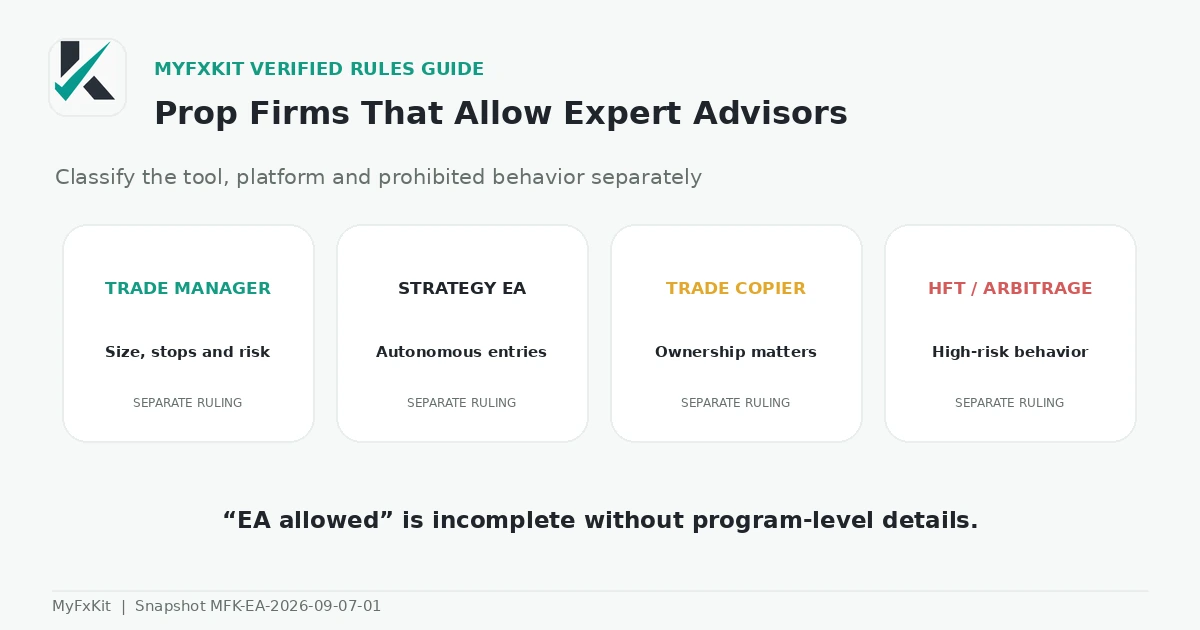
Short answer: FTMO offers comparatively broad permission for legitimate algorithmic trading, subject to forbidden-practice and server-usage limits. FundedNext permits EAs on MT4 and MT5 in its CFD models when the paid add-on, customization and strategy-uniqueness requirements are met. The5ers’ current terms require prior written approval and user-owned or user-developed software. Alpha Capital limits eligible MT5 accounts to approved risk-management and trade-assistance tools, not autonomous strategies. Blue Guardian permits appropriately configured EAs in the reviewed 2 Step Standard and Instant Starter programs while retaining minimum-hold and copy-trading restrictions.
Author: MyFxKit Content Team · Research and technical review: MyFxKit Technical Team
Snapshot: MFK-EA-2026-09-07-01 · Sources observed: September 7, 2026. The structured evidence is available in the research dataset.
Inclusion does not guarantee EA performance, challenge completion or a payout. This page compares documented compatibility with published rules. It does not provide methods for bypassing technical controls or prohibited-practice detection.
First identify what your EA actually does
“EA” is used for several different tools. That ambiguity makes a support reply saying “EAs are allowed” insufficient for a purchase decision.
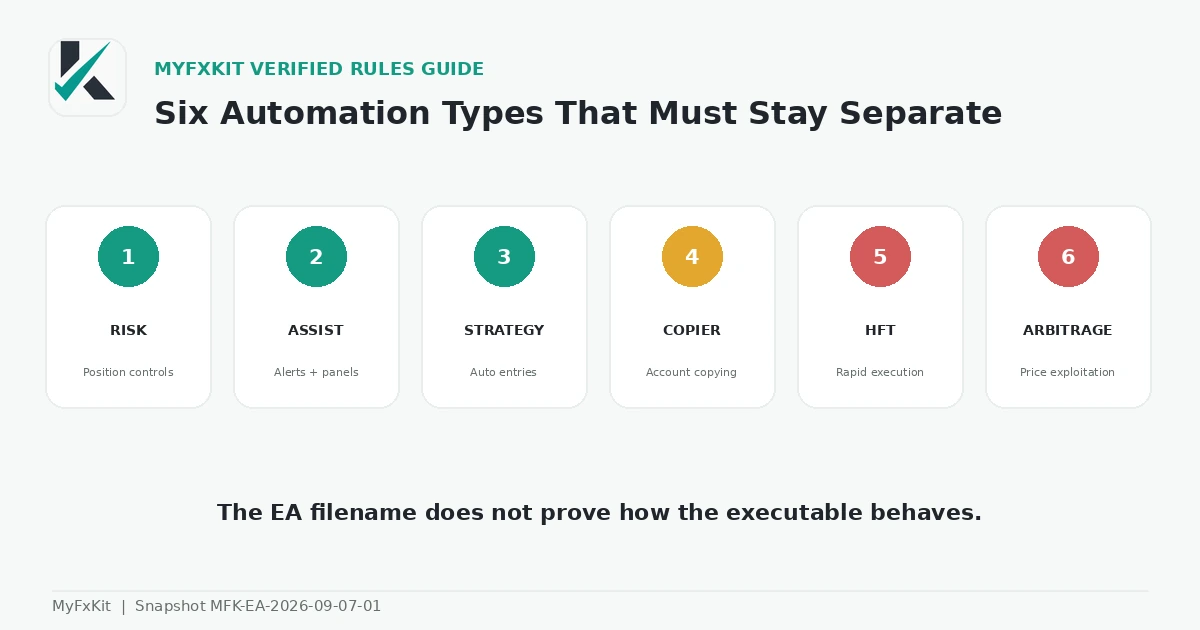
| Tool category | Primary behavior | Question to answer |
|---|---|---|
| Risk-management EA | Calculates size; places or moves SL and TP; moves to break-even | Does the firm classify a non-entry tool as an EA? |
| Trade assistant | Provides alerts, order panels or semi-automated exits | Is a human click required for every entry? |
| Strategy EA | Analyzes, opens, manages and closes trades automatically | Is autonomous execution permitted on this program, stage and platform? |
| Trade copier | Replicates orders between accounts | Is copying limited to accounts legally owned by one trader? |
| HFT or tick scalper | Sends or modifies orders at very high speed | What are the speed, message-volume and minimum-hold restrictions? |
| Arbitrage or price-exploitation tool | Uses latency, feed errors or price discrepancies | Is the behavior explicitly prohibited? |
One tool can fall into several categories. A risk manager that modifies hundreds of orders every second may be “management software” by purpose but server-hyperactive by behavior. A product name or vendor description does not prove what the executable actually does.
How programs qualified for this collection
The unit of review is:
firm + program + stage + platform + automation type
A program was classified only when an official source addressed EAs, automation or prohibited behavior. A general “any strategy” statement was not treated as unrestricted permission without checking the relevant prohibited-practice page.
The review recorded:
- Risk-management and trade-assistance tools.
- Autonomous entry and exit.
- Third-party EAs and code-ownership requirements.
- Copy trading between the trader’s own or other accounts.
- HFT, tick scalping and server-message limits.
- Arbitrage, feed latency and unrealistic execution.
- Paid activation or prior written approval.
- Unique settings and allocation limits for one strategy.
- Third-party account management.
- Platforms on which automation is contractually and technically supported.
When an FAQ and current terms conflict, the newer and more binding document controls the conservative classification, and the conflict is disclosed. See the MyFxKit methodology and corrections policy.
EA-friendly prop-firm comparison
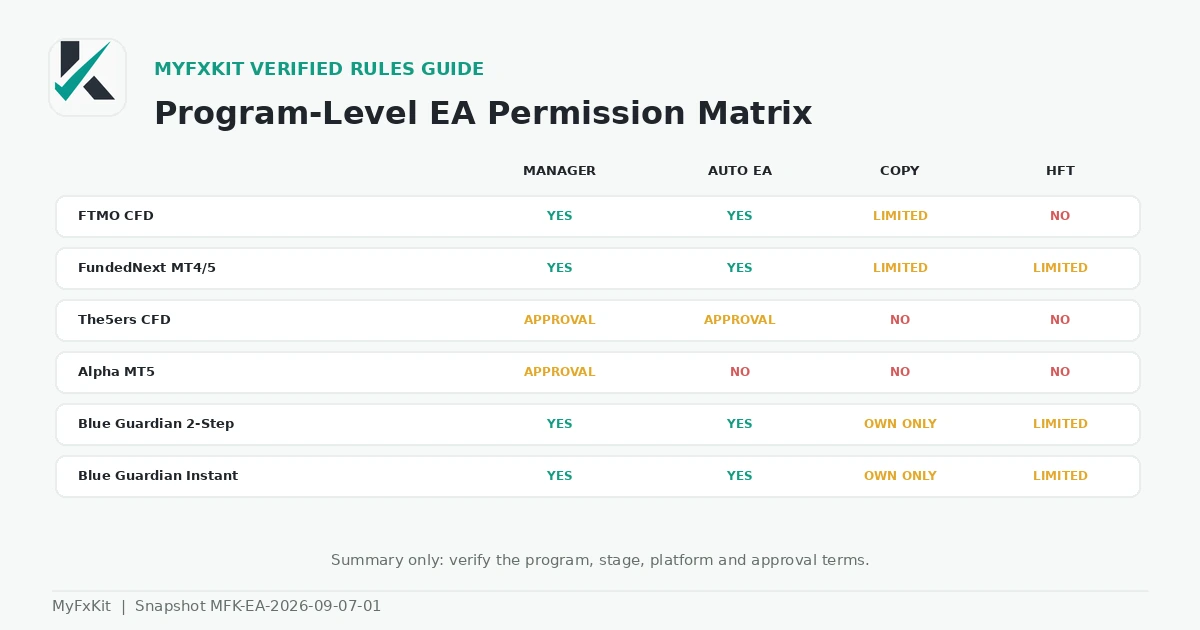
| Program and scope | Risk manager | Autonomous EA | Third-party EA | Copy trading | HFT or tick scalping | Platform and main condition |
|---|---|---|---|---|---|---|
| FTMO CFD; Evaluation and FTMO Account | Allowed | Conditionally allowed | Conditional | Only within legitimate ownership and behavior rules | Unfair or server-abusive behavior prohibited | Chosen platform must support the workflow; behavior must be replicable in real markets |
| FundedNext CFD; Challenge | Allowed under EA rules | Allowed under EA rules | Conditional | Certain routes between the trader’s own Challenge Accounts | Subject to prohibited-strategy rules | MT4 or MT5; paid add-on, customized settings and a unique strategy |
| FundedNext CFD; FundedNext Account | Allowed under EA rules | Allowed under EA rules | Conditional | Copying involving a funded account is prohibited | Subject to prohibited-strategy rules | MT4 or MT5; maintain the evaluation-stage approach |
| The5ers CFD; Evaluation and funded | Allowed after approval | Prior written approval required | Prohibited under current terms unless owned or developed by user | Other people’s signals prohibited | Prohibited | MT5; current terms and prior written approval control the classification |
| Alpha Capital; eligible accounts | Allowed after approval | Prohibited | Prohibited | Prohibited | Prohibited | MT5; checkout activation and support approval; exclusions apply |
| Blue Guardian 2 Step Standard | Allowed | Conditionally allowed | Conditional | Only between accounts legally owned by the same trader | Trades under two minutes prohibited | Native MetaTrader EA on MT5; the trader’s own strategy and settings |
| Blue Guardian Instant Starter | Allowed | Conditionally allowed | Conditional | Only between accounts legally owned by the same trader | Trades under two minutes prohibited | Native MetaTrader EA on MT5; VPN or VPS does not override conduct rules |
“Conditionally allowed” means a firm permits the category only while one or more material requirements remain. It does not mean unrestricted use. Technical automation support on a platform is also not contractual permission from a prop firm.
Program-by-program findings
FTMO CFD
FTMO’s official strategy FAQ permits algorithmic trading and EAs alongside manual trading when the activity is legitimate, risk-managed, replicable under real-market conditions and outside prohibited practices. The statement covers the Evaluation Process and FTMO Account.
The platform FAQ lists MT4, MT5, cTrader and TradingView. Listing a platform does not make a MetaTrader EA portable to it; technical compatibility must be confirmed separately.
Third-party EAs can produce identical trades across unrelated users and create maximum-allocation risk. FTMO also publishes limits of 200 simultaneous orders and 2,000 positions per day and warns about excessive server messages, repeated order modification and hyperactivity.
The forbidden trading practices prohibit software, artificial intelligence, ultra-high-speed tools or mass data entry when used to manipulate, exploit or gain an unfair advantage. “EA allowed” therefore does not mean every execution logic is acceptable.
FundedNext CFD on MT4 and MT5
FundedNext’s official EA policy permits Expert Advisors, indicators and bots on MT4 and MT5 when the paid EA add-on is active. Automated EA trading is not allowed on cTrader or Match-Trader.
Settings must reflect the trader’s unique approach, the strategy must not create identical trades across other accounts, and the published allocation ceiling is $300,000 per EA strategy. EAs integrated with third-party messaging applications such as Telegram or WhatsApp are prohibited. Tools that only adjust SL, TP or position size are still classified as EAs under this policy.
FundedNext’s general CFD rules state that EAs and VPS use are available across models with the paid add-on, but copying is restricted to defined routes between accounts owned by the same trader. Copying that involves a FundedNext Account, third-party copy services and managing accounts for other people are prohibited.
Its strategy-continuity rule prohibits passing a Challenge manually and switching to an EA on the funded account, or the reverse. The Stellar Instant EA page repeats the customization, uniqueness, allocation and add-on conditions for that product.
The5ers CFD
The5ers’ EA FAQ says EAs may be used when they do not copy another person’s signals, perform tick scalping, latency arbitrage, reverse arbitrage, hedge arbitrage or HFT, or use an emulator. Stop losses must remain visible on the platform, and the trader must own the source code.
However, the newer current terms require written notice and prior approval for automated software owned or developed by the user and prohibit third-party automated software. This collection therefore classifies The5ers as “prior written approval required,” not unconditionally allowed.
The prohibited trading practices also forbid passing or managing accounts for others, coordinated account behavior, and EAs that overload the server through excessive order opening, modification or cancellation. Obtain written confirmation for the exact EA file and version before purchase.
Alpha Capital Group on MT5
Alpha Capital’s official EA policy draws a clear line between management software and an independent trading robot. Position-size calculation, SL and TP management, break-even movement and risk controls may be approved for eligible MT5 accounts.
An EA that opens trades independently without human supervision is prohibited. This includes third-party bots, fully automated strategies, HFT and latency arbitrage. The feature must be selected at checkout and approved by support after submitting the EX5 file; the MQ5 source may also be requested.
EA use is unavailable on cTrader, DXtrade and TradeLocker and on Swap-Free and Alpha Direct accounts. A Qualified Analyst must have enabled and used the EA during evaluation. Alpha may therefore suit an approved risk-management panel, but not an autonomous entry strategy under the reviewed rule.
Blue Guardian 2 Step Standard
The 2 Step Standard rules list EAs as permitted. Copy trading is allowed only between accounts legally owned by the same trader, and every trade must meet the two-minute minimum holding period.
Blue Guardian lists MT5, Match Trader and TradeLocker, but a native MetaTrader EA runs on MT5. Its platform rules also restrict platform migration after trading starts. Choose the correct environment before activation rather than assuming it can be changed later.
Blue Guardian Instant Starter
The Instant Starter rules permit EAs and allow copying only between accounts owned by one trader. The two-minute minimum holding period still applies.
The program allows VPN and VPS use, but those tools cannot be used to bypass copy, group or signal-trading rules. Instant Starter also has a different account structure from 2 Step Standard; EA permission does not remove its separate profit, payout, drawdown or reward-count conditions.
How platform choice changes the answer
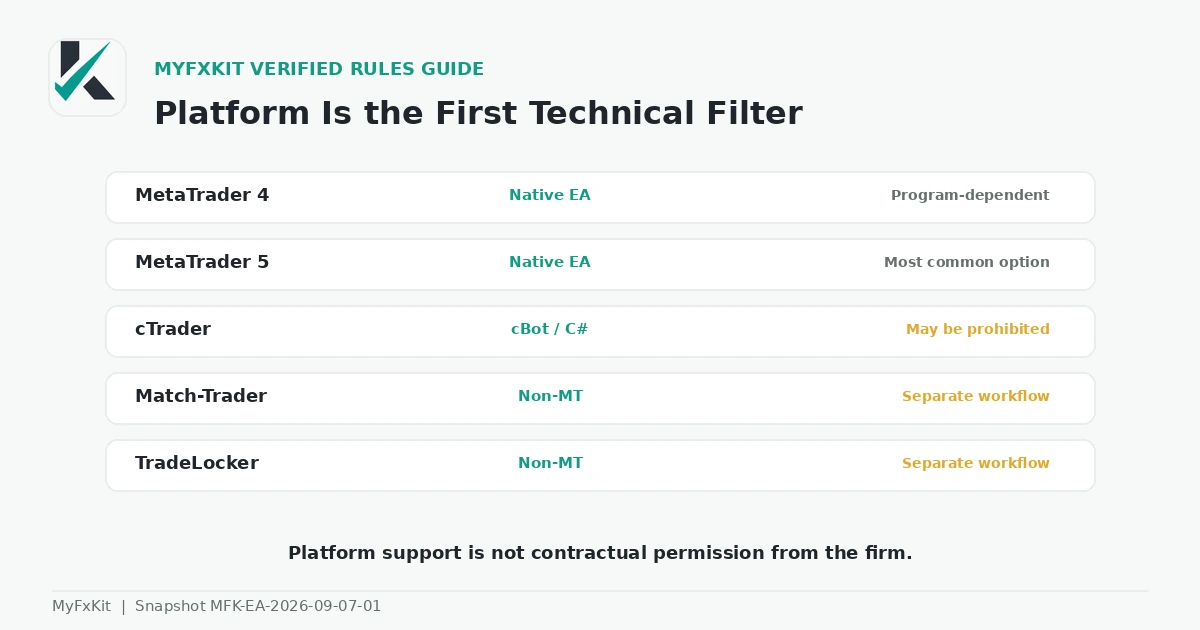
MetaTrader 5 provides a native Expert Advisor environment. cTrader uses cBots, while Match-Trader and TradeLocker use different automation models. Keep three questions separate:
- Can the platform execute this kind of automation?
- Does the firm permit it on the selected program and stage?
- Can the existing file run there without a rewrite or bridge?
Only an affirmative answer to all three establishes usable compatibility. A firm may offer several platforms but limit its EA permission to one of them.
HFT, arbitrage and copy trading are separate rules
Attaching the label “EA” to an execution method does not change its substance. A firm can permit ordinary automation while prohibiting latency arbitrage, reverse arbitrage, hedge arbitrage, tick scalping, emulator use or abnormal server traffic.
Copy trading must also be checked independently. Blue Guardian allows copying only between accounts legally owned by the same trader in the reviewed programs. FundedNext defines limited routes for the trader’s own Challenge Accounts but prohibits copying that involves a FundedNext Account. The5ers prohibits other people’s signals and third-party account management.
If the source account is not yours, another person operates the system for you or one signal is distributed across unrelated users, calling the software an EA does not remove the copy-trading or account-management issue.
Pre-purchase EA checklist
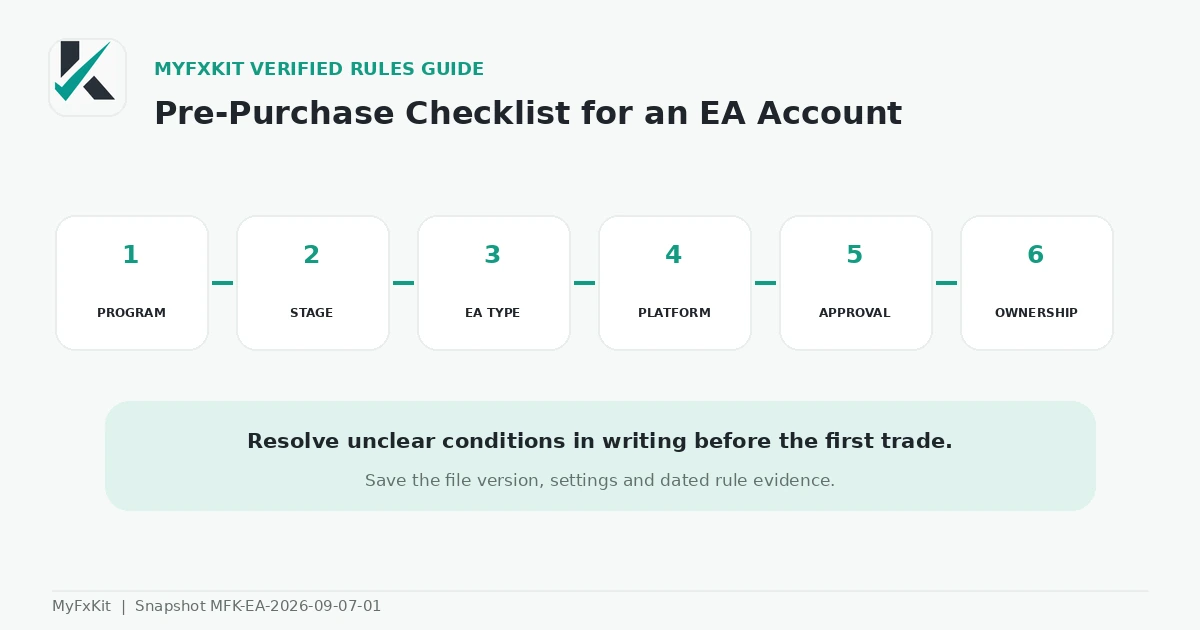
- Record the exact firm, program, stage and account type.
- Classify the tool as management, semi-automated, autonomous or copier.
- Match the actual account platform to the EA file.
- Check checkout activation, add-on cost and prior-approval requirements.
- Confirm whether the executable or source code must be owned or submitted.
- Read the third-party EA and duplicate-trade rules.
- Separate copying between your own accounts, funded accounts and other people’s accounts.
- Record HFT, tick-scalping, minimum-hold and server-message limits.
- Compare the EA logic with arbitrage, latency and unrealistic-execution rules.
- Confirm strategy continuity from evaluation to funded stage.
- Obtain a written answer for unresolved conditions before deployment.
- Keep the file version, hash, settings and a dated copy of the relevant rule.
Review financial risk separately with the prop-firm drawdown guide, floating-loss rule guide and consistency rule guide.
How this collection is updated
This page is reviewed monthly and after a material automation, platform or prohibited-practice change. EA category, stage, platform, paid activation, approval, ownership, uniqueness, copying and consequences are re-recorded.
Verified changes are published in the MyFxKit changelog. Use the prop-firm directory, prop-firm rules hub and MyFxKit collections to assess other programs.
Official sources
- FTMO: permitted instruments and strategies
- FTMO: forbidden trading practices
- FTMO: choosing an Expert Advisor
- FTMO: trading platforms
- FundedNext: EA policy
- FundedNext: allowed CFD practices
- FundedNext: strategy restrictions
- FundedNext: EA use on Stellar Instant
- The5ers: EA FAQ
- The5ers: prohibited trading practices
- The5ers: current terms and conditions
- Alpha Capital Group: Expert Advisor policy
- Blue Guardian: 2 Step Standard rules
- Blue Guardian: Instant Starter rules
- Blue Guardian: platform rules
- MetaTrader 5: algorithmic trading
Frequently asked questions
Does every “EA-friendly” prop firm allow every EA?
No. Permission depends on the EA’s behavior, program, stage and platform. Many firms prohibit HFT, arbitrage, copying other traders, third-party account management or abnormal server load even when ordinary EAs are allowed.
Is a risk-management panel considered an EA?
It can be. FundedNext explicitly classifies tools that change SL, TP or position size as EAs. Alpha Capital permits this management category on eligible accounts but requires prior approval.
Are third-party EAs allowed?
There is no universal rule. FundedNext permits conditional use but requires customization and uniqueness. FTMO warns about duplicate strategies. The5ers’ current terms and Alpha Capital’s policy are more restrictive.
Can I pass a challenge with an EA and trade manually afterward?
FundedNext explicitly prohibits that switch. At other firms, a major behavior change between evaluation and funded trading may also trigger review. Define the intended approach for both stages before purchase.
Can I run an EA on a VPS?
Some programs permit it, but a VPS is only a hosting environment. It does not change trading, identity, copying or technical-control rules.
Which prop firm is best for an EA?
There is no universal winner. FTMO has broader permission for legitimate algorithms; FundedNext depends on MT4 or MT5, the add-on and uniqueness; The5ers requires approval and ownership; Alpha permits management rather than autonomous entry; and Blue Guardian retains minimum-hold and account-ownership rules. Match the program to the EA’s actual behavior.