
For MyFxKit members
A free trading journal for prop traders
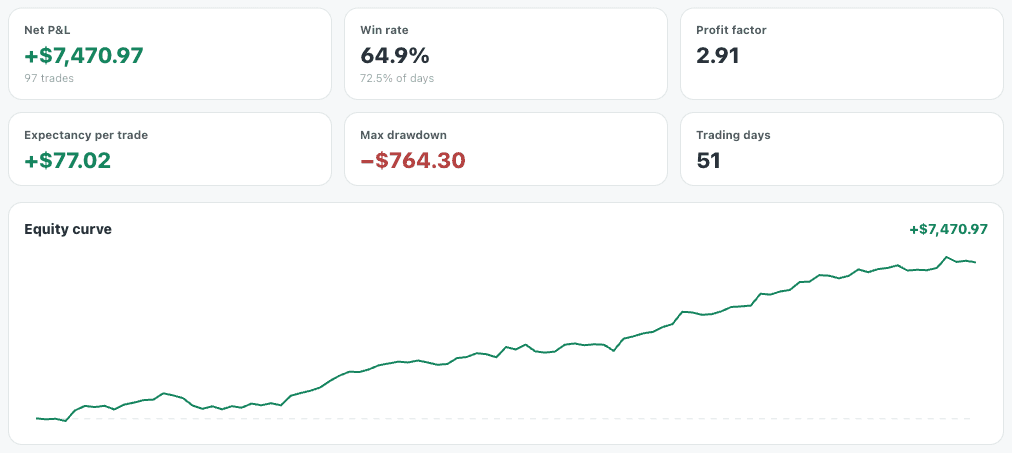
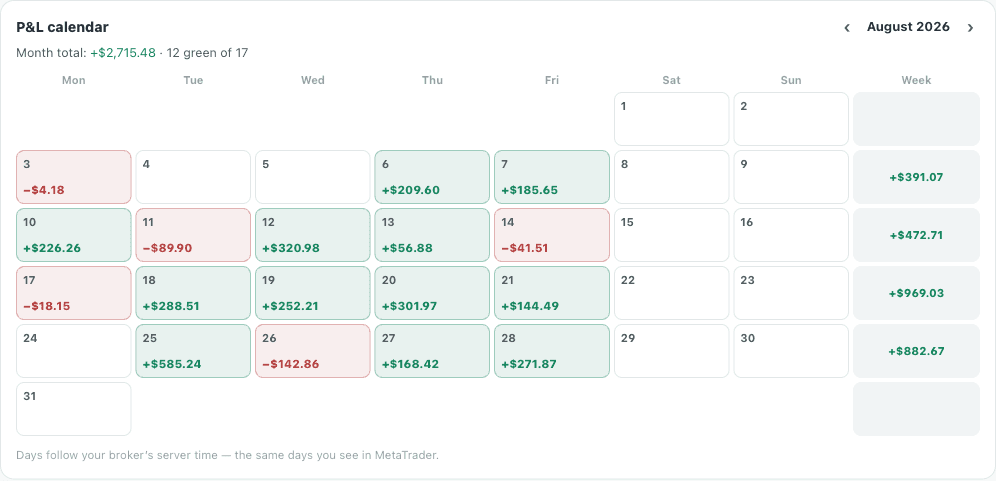
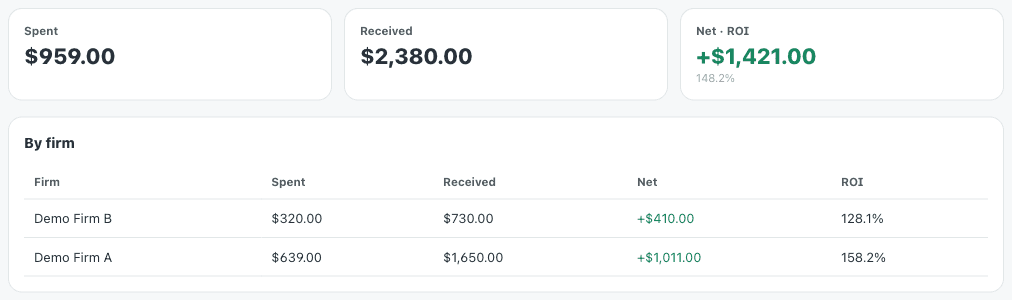
Import your MetaTrader 5 report and see where you actually make and lose money: win rate, profit factor, drawdown, a P&L calendar, and what each prop firm has really cost you.
Log in to startUses your MyFxKit account — nothing to install.
How it works
Export from MetaTrader 5
Open the History tab, right-click, and save the Report as HTML or Excel.
Import the file
Pick the file in your dashboard. You see a preview of the trades before anything is saved.
See your stats
Your stats, equity curve and P&L calendar are built. Add a note to any trade or any day.
Your file stays with you
An MT5 report carries your name, account number and broker. So the file is read right here in your browser and never uploaded — only the trades themselves are saved, and only you can see them.
Questions
Which files can I import?
The MetaTrader 5 history report, as HTML or Excel. cTrader, MatchTrader and DXtrade are not supported yet.
Where do I get the report?
In MetaTrader 5, open the History tab, right-click the list, choose Report, and pick HTML or Open XML (Excel).
If I import a file twice, do trades duplicate?
No. Each trade is keyed by its position number; importing again only updates it, and your notes stay put.
Which clock do calendar days follow?
Your broker’s server time — the same day you see in your own MetaTrader.
Who can see my trades?
Only you. Trades belong to your own MyFxKit account and are never shown anywhere public on the site.
Does it cost anything?
No — it is free for MyFxKit members.